
For most UK parents of primary-age children, Thepocketmoneygame is the best reading comprehension app to start with. It covers the KS1 and KS2 curriculum, adapts to your child's level, includes a parent dashboard, and uses real pocket money rewards to keep reluctant readers genuinely motivated. If your child is 5–11 and you want something that fits school expectations without a lot of setup, start a free trial and you'll have your first session running in minutes.
Here's where it fits best:
- Home reading practice after school, tied directly to what your child is working on in class
- Homework follow-up when you want to reinforce a passage or topic without creating worksheets yourself
- Multi-child households where each child needs a different difficulty level and their own progress record
- Reluctant readers who need a motivational hook beyond "because I said so"
Pro Tip: Set a consistent 5-minute slot right after school rather than before bed. Routine beats length every time when it comes to building reading habits.
Table of Contents
- What features actually make a reading comprehension app worth using?
- How do you match an app to your child's age and needs?
- How do you actually make app practice stick at home?
- Why Thepocketmoneygame stands out for UK families
- What should you know about pricing and free trials?
- Key Takeaways
- Why I built this — a note from Neil
- Try Thepocketmoneygame free for 7 days
- Useful sources
What features actually make a reading comprehension app worth using?
Not every app that calls itself a reading tool actually builds comprehension. The difference between one that works and one that gets abandoned after a week usually comes down to a handful of features.

Adaptive level-setting is the most important one. An app that pitches every child the same passage regardless of ability will bore strong readers and frustrate struggling ones. Look for apps that adjust difficulty based on performance, ideally aligned to KS1 and KS2 expectations so the challenge matches what school is asking for.
Question types matter more than most parents realize. Multiple-choice questions that test memory are the weakest format. The best reading comprehension exercises ask children to identify the main idea, make inferences, find evidence in the text, and work out vocabulary from context. These are the skills tested in KS2 SATs and in everyday reading for meaning.
Voice-based interaction takes things further. Interactive voice Q&A encourages children to explain and justify answers aloud rather than just tap an option, which pushes them toward active comprehension instead of passive guessing. For early readers, real-time pronunciation feedback also builds fluency alongside understanding.
A few other features worth checking:
- Scan-to-quiz tools that turn any reading passage into instant quizzes so practice stays relevant to school texts
- Parent dashboard with accuracy trends, vocabulary exposure, and session history, not just a score
- Accessibility features: text-to-speech, adjustable pacing, dyslexia-friendly fonts, and reward mechanics for children who need extra motivation
- Device compatibility: iOS, Android, and tablet support so it works on whatever your family already owns
- Data privacy: check that the app requires parental consent for child accounts and gives you control over what data is stored
How do you match an app to your child's age and needs?
The right app for a Year 1 child looks very different from the right one for a Year 5 child, and different again for a child with ADHD or dyslexia.
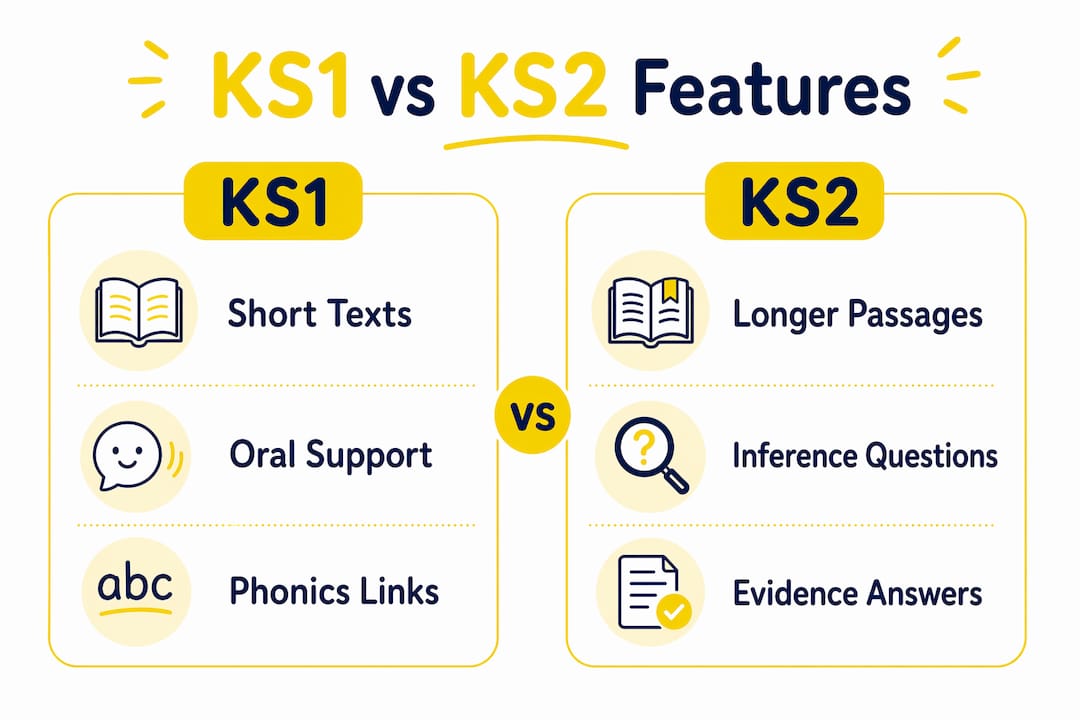
KS1 (Years 1–2, ages 5–7)
Short texts, oral support, and phonics-linked comprehension are the priorities here. Sessions should stay in the 5-minute range. Children at this stage benefit most from apps that read passages aloud, ask simple "who, what, where" questions, and give immediate positive feedback. Real-time pronunciation guidance is a genuine advantage for early readers still building fluency.
KS2 (Years 3–6, ages 7–11)
Longer passages, inference questions, and evidence-based answers become the focus. Children can handle more independent quizzes, and the parent dashboard becomes more useful because there's more data to act on. Look for apps that surface what to work on next, not just a percentage score. Progress tracking that shows accuracy over time helps you spot whether vocabulary or inference is the weak point.

SEN and neurodiversity
Children with ADHD or dyslexia often disengage from apps that feel like tests. The features that make the biggest difference are shorter tasks with clear endpoints, text-to-speech so decoding doesn't block comprehension, a simpler interface with fewer distractions, and reward mechanics that give immediate positive reinforcement. Parent control over difficulty and pacing is also critical so you can dial things back on a hard day without the child feeling like they've failed.
Quick checklist when assessing any app for your child:
- Does it adapt to their current level automatically?
- Can you control difficulty and session length?
- Does it read text aloud if needed?
- Is there a parent dashboard that shows more than a single score?
- Does it work on your family's devices?
How do you actually make app practice stick at home?
The single most effective thing you can do is keep sessions short and predictable. Five minutes a day produces steadier progress than a longer, irregular session once a week, especially for 6–12-year-olds. The routine itself is the habit; the length is almost secondary.
When and where matters too. Right after school, before the TV goes on, is the slot that works for most families. Bedtime read-alouds followed by a quick five-question quiz can also work well for KS1 children who are already in a reading routine.
Your role as a parent doesn't need to be hands-on every session. A low-prep check-in works well: glance at the dashboard once a week, ask your child to tell you one thing they read about, and occasionally ask "where in the story did it say that?" That one question, asked casually, is one of the most powerful comprehension habits you can build.
Pro Tip: Tie the reward to the streak, not just the score. "You've done five days in a row" lands better than "you got 80%" for most children, especially those who find reading hard.
When accuracy starts plateauing above 85% consistently, it's time to increase the difficulty level. When it drops below 60%, slow down and check whether vocabulary or background knowledge is the gap, not comprehension itself.
Why Thepocketmoneygame stands out for UK families
Thepocketmoneygame was built specifically for UK primary-school children aged 5–11, which means the reading content is aligned to KS1 and KS2 expectations from the start, not retrofitted from a US curriculum.
What makes it different from a generic reading app:
- Real pocket money rewards: Parents set the reward amount per correct answer. Children earn actual money, which creates a motivation loop that generic star-badge systems rarely match, especially for children who've already tuned those out.
- Adaptive difficulty: The platform adjusts question difficulty based on your child's responses, so it stays in the productive challenge zone without you having to manually recalibrate.
- Voice support: Text-to-speech and spoken-response features mean children who struggle with decoding can still access comprehension practice without getting stuck on individual words.
- Multi-child profiles: Each child gets their own level, progress record, and reward balance, which is a practical necessity in households with more than one primary-age child.
- Parent dashboard: You can see accuracy trends, session history, and which areas need attention, all in one place.
For children with ADHD or dyslexia, the reward-based design is particularly well-suited. Short sessions with immediate, tangible rewards reduce the resistance that longer, test-style apps tend to trigger.
Getting started:
- Sign up and create your child's profile (takes about three minutes).
- Set the difficulty level and your preferred reward amount per correct answer.
- Run the first session together so your child understands how the rewards work.
- Check the dashboard after the first week to see where accuracy is strongest and where to focus next.
Pro Tip: Let your child choose what to spend their earned pocket money on. The financial literacy angle isn't just a gimmick — it gives the reward real-world meaning and makes the next session something they actually want to do.
What should you know about pricing and free trials?
Most reputable reading apps in the UK follow one of three models: a free tier with limited content, a monthly family subscription, or an annual plan at a discount. Thepocketmoneygame offers a 7-day free trial that gives you access to the full platform, including the parent dashboard and multi-child profiles, so you can assess whether it fits before committing.
When you're evaluating any app's trial, check these things:
- Full feature access: A trial that locks the parent dashboard or caps sessions to two per day doesn't give you a real picture of the product.
- Multi-child support: If you have more than one child, confirm the trial lets you test separate profiles.
- Cancellation policy: You should be able to cancel before the trial ends without being charged. Check this before you enter payment details.
- Question or session caps: Some apps limit daily questions on paid plans too. Know the cap before you subscribe.
Red flags worth noting: no trial at all, a reporting feature hidden behind a higher-tier plan, or a data policy that doesn't clearly state how child data is handled. The UK's Hungry Little Minds campaign, backed by the Department for Education, recommends checking that any app used with young children meets basic data privacy standards before signing up.
Key Takeaways
Short, daily reading practice with an adaptive, curriculum-aligned app is the most effective approach for UK primary-school children, and Thepocketmoneygame delivers that with the added motivation of real pocket money rewards.
| Point | Details |
|---|---|
| Daily short sessions win | Short daily sessions tend to produce steadier progress than longer, irregular practice for school-age children. |
| Adaptive + KS1/KS2 aligned | Choose an app that adjusts difficulty and matches UK curriculum expectations, not a generic reading tool. |
| Check the trial properly | A good trial gives full dashboard access, multi-child profiles, and a clear cancellation policy before you pay. |
| SEN needs specific features | Text-to-speech, shorter tasks, and reward mechanics make the biggest difference for children with ADHD or dyslexia. |
| Thepocketmoneygame | Recommended for UK families: KS1/KS2 aligned, adaptive, with real pocket money rewards and a 7-day free trial. |
Why I built this — a note from Neil
Building Thepocketmoneygame came from a very personal place. As a parent with ADHD and dyslexia myself, I know exactly what it feels like to sit down with a worksheet and feel your brain refuse to cooperate. Traditional reading practice, the kind that feels like a test, doesn't work for every child. It didn't work for me, and I watched it not work for my son.
What I kept coming back to was this: motivation isn't a character trait. It's a design problem. If the task feels pointless or the feedback is delayed, children disengage. So the platform was built around immediate rewards, short sessions, and parent control over difficulty, because those are the levers that actually move the needle for children who struggle with conventional methods.
The KS1 and KS2 alignment wasn't an afterthought either. UK parents need something that connects to what's happening in school, not a product built for a different curriculum and loosely adapted. If you want to read more about the thinking behind it, the founder story is on the team page.
Try Thepocketmoneygame free for 7 days
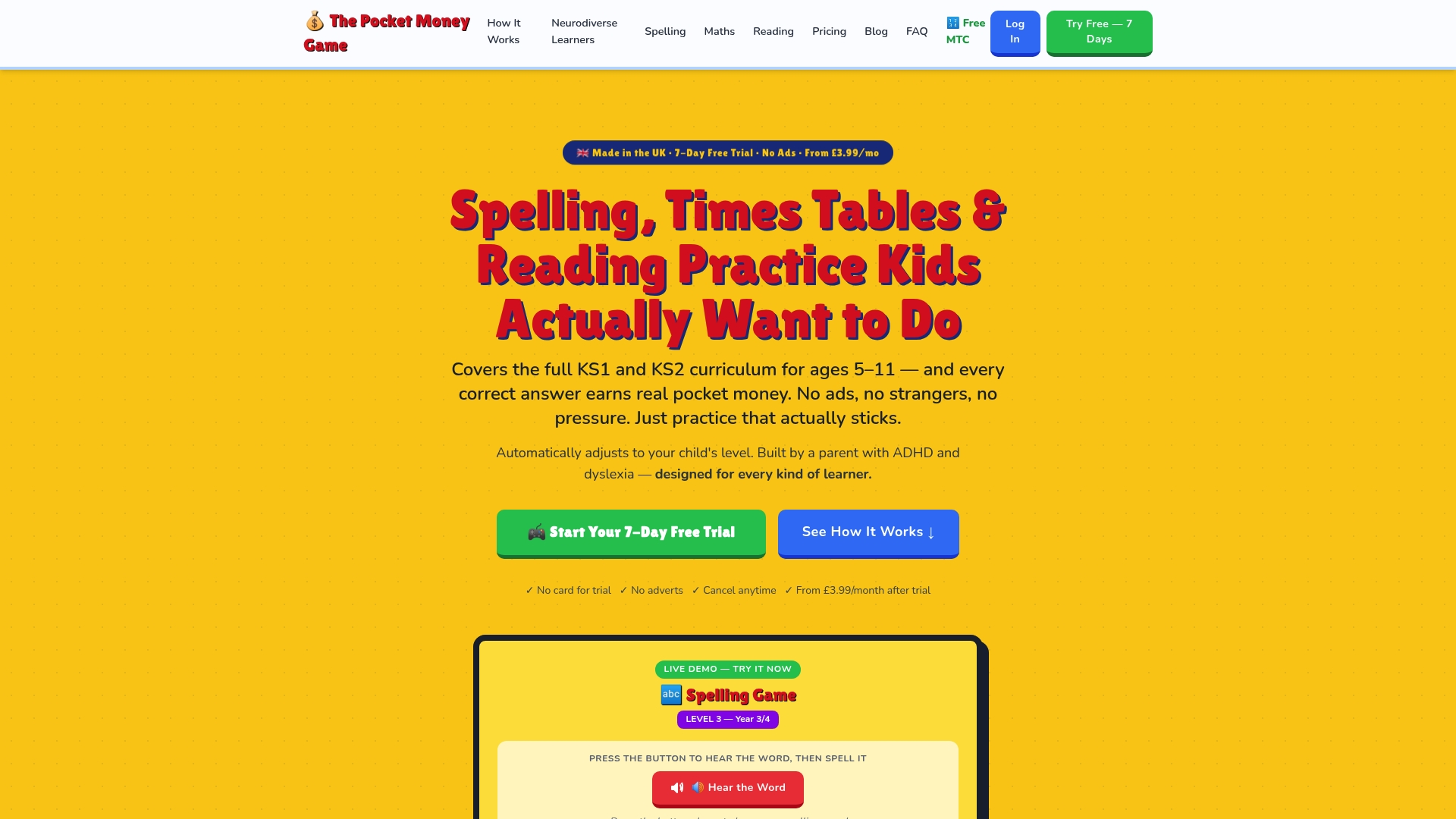
Reading practice that your child actually wants to do is not a fantasy. Thepocketmoneygame gives UK parents a straightforward path: a 7-day free trial with full access to adaptive reading comprehension content, the parent dashboard, and multi-child profiles, all aligned to KS1 and KS2.
Your first week, simplified:
- Day 1: Set up your child's profile and run one session together.
- Days 2–4: Let your child run sessions independently. Check the dashboard on Day 4.
- Days 5–7: Adjust difficulty if accuracy is above 85% or below 60%. Note which topics are coming up most.
No long-term commitment required. Cancel before Day 7 and you won't be charged. Start your free trial and see what a motivated reader looks like.
Useful sources
- Hungry Little Minds — UK government-backed campaign with app recommendations and reading guidance for families with children aged 0–5, useful for early-years context.
- GOV.UK: Early Years Apps — Official list of government-approved early learning apps; a useful benchmark for what "approved" means in the UK context.
- ReadLab — Evidence-based reading app recommending 5-minute daily sessions for children aged 6–12; useful for understanding session-length research.
- ReadCheck — Scan-to-quiz tool that turns any reading passage into instant comprehension questions; helpful for parents wanting to align practice with school texts.
- Thepocketmoneygame reading comprehension games — KS1 and KS2 reading comprehension activities and games on the platform.
- ADHD and dyslexia learning app — Detail on the neurodiversity-friendly features built into Thepocketmoneygame, including reward mechanics and adaptive pacing.
- PMC: Comprehension and reading levels — UK-based research on reading comprehension gaps; supports the case for vocabulary-building and scaffolded practice.
Recommended
- The Best Educational Apps for Primary School Children in the UK (2025) — The Pocket Money Game
- The Pocket Money Game in Kent — KS1 & KS2 Spelling, Maths and Reading
- Spelling, Times Tables & Reading Practice Kids Actually Enjoy | The Pocket Money Game
- The Pocket Money Game in London — KS1 & KS2 Spelling, Maths and Reading